Smiling sun with sunglasses, turquoise palm trees, and ocean, on a sunny day.

AC Survival Guide: What To Check Before Calling for Emergency Repair
Corey Creekmore • January 20, 2026
Two black palm trees on a small island, set against a white background.

Share this article


Black silhouette of two palm trees on a small island.
ac

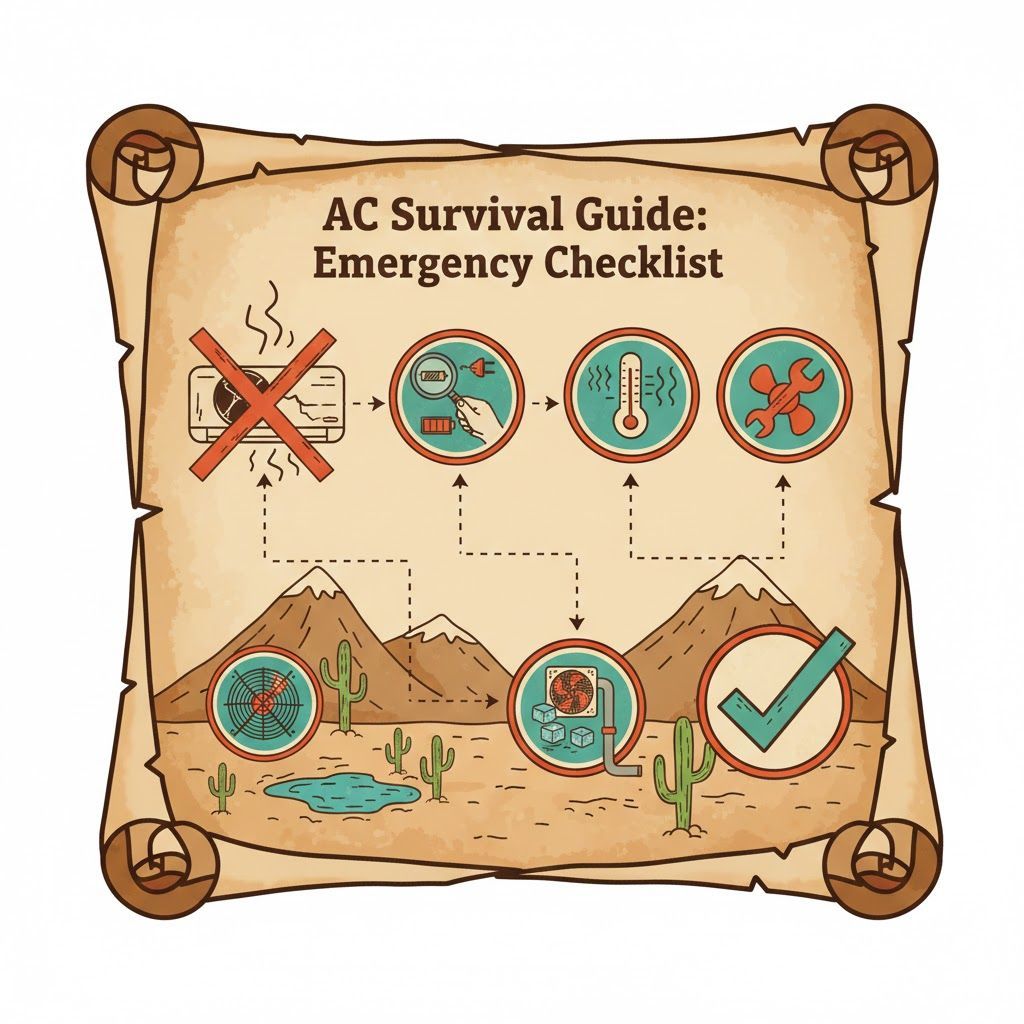
When your air conditioner suddenly stops working in the middle of a hot day, panic sets in fast. Before you pick up the phone for an emergency AC repair, there are several simple checks you can do yourself that might save you time, money, and stress. An AC survival guide helps you troubleshoot common issues, avoid unnecessary service calls, and know when it’s truly time to call a professional.


This guide walks you step-by-step through what to check before calling for emergency AC repair so you can stay safe, protect your system, and restore comfort as quickly as possible.


Why You Should Check a Few Things Before Calling

Emergency HVAC visits usually cost more than standard appointments because they’re rushed, off-hours, or same-day. Taking a few minutes to run through a basic AC checklist can:


Rule out simple, fixable issues like tripped breakers or incorrect thermostat settings.


Help you describe symptoms more accurately if you do need a technician.


Prevent damage by helping you shut down a struggling system safely.


These checks are safe for homeowners and don’t require opening equipment panels or handling electrical components.


Step 1: Check Your Thermostat Settings

The thermostat is the brain of your cooling system. If it’s not set correctly, your AC may not turn on even though nothing is “broken.”


Confirm it’s on “Cool.” Make sure the thermostat mode is set to “Cool,” not “Heat,” “Off,” or “Fan Only.”


Lower the set temperature. Set the temperature 3–5 degrees lower than the current room temperature and wait a few minutes to see if the system kicks on.


Check the fan setting. If the fan is set to “On,” it will blow air even when the AC isn’t cooling. Try switching it to “Auto” so it only runs when the system is actively cooling.


Look at the display. If the screen is blank or fading, replace the batteries (if your thermostat uses them) and see if that restores normal operation.


If the thermostat display won’t turn on or doesn’t respond to changes, that’s useful information to share with your HVAC company.


Step 2: Make Sure You Have Power

Power interruptions are a common cause of sudden AC shutdowns.


Check other electrical devices. Are lights, appliances, or other outlets working in the same area? If not, you may have a wider electrical issue.


Inspect your electrical panel.


Look for tripped breakers labeled “AC,” “Air Conditioner,” “Air Handler,” or “HVAC.”


If a breaker is in the middle or “Off” position, switch it fully to “Off” and then back to “On.”


Check any outdoor shutoff switches. Many condensers (outdoor units) have a disconnect box nearby. Make sure it hasn’t been pulled or switched off.


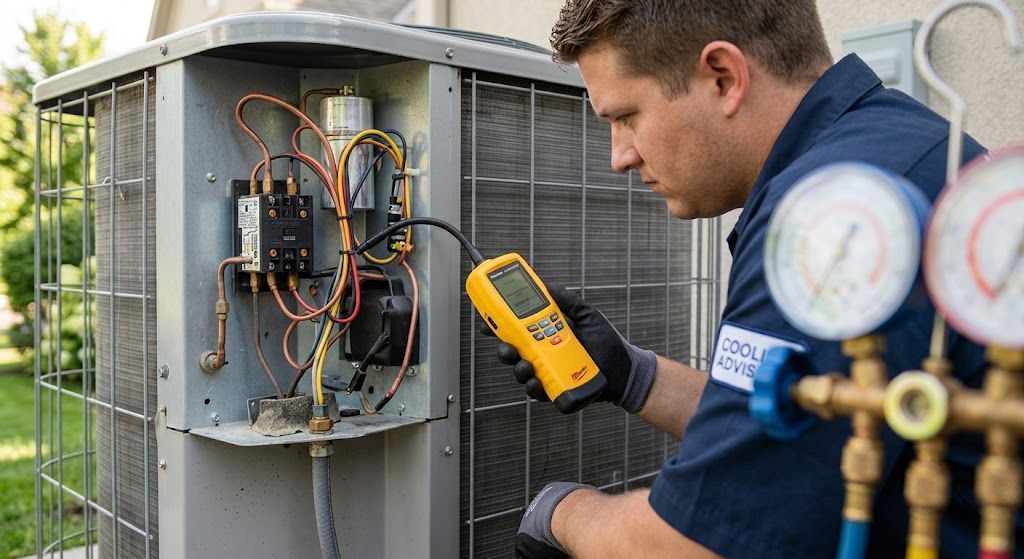
If a breaker trips again immediately after you reset it, do not keep trying—this can indicate an electrical problem that needs a professional.


Step 3: Listen for the System Starting

After adjusting your thermostat and checking the power, give the system a few minutes and listen carefully.


Indoor unit sounds: Do you hear the blower fan turn on inside?


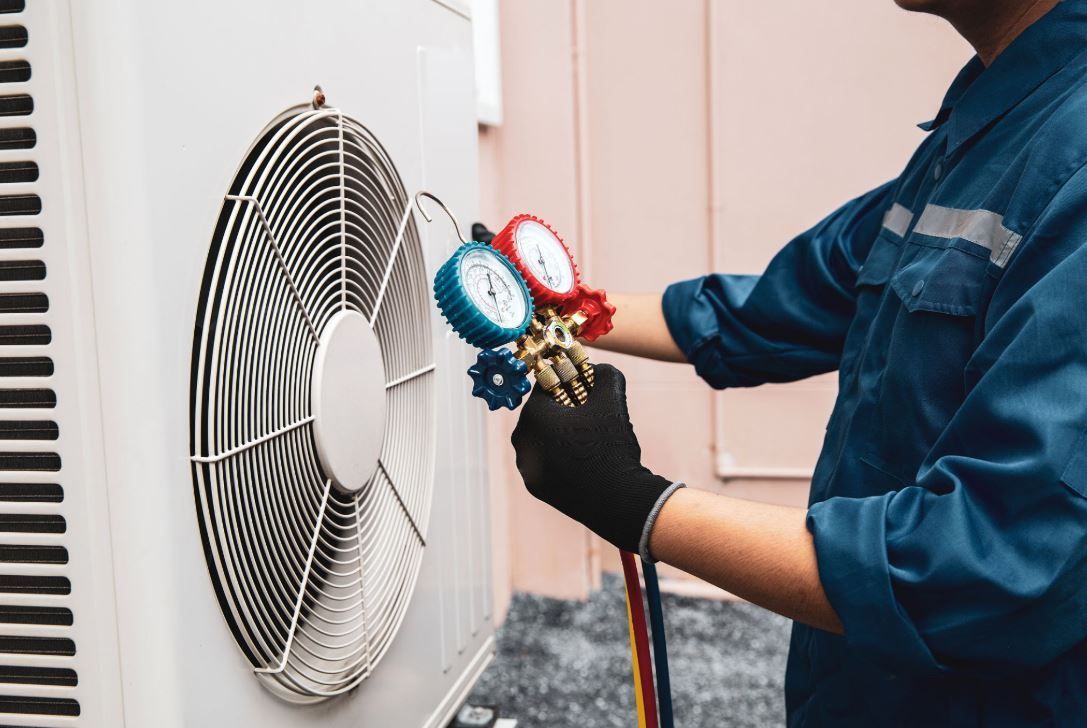
Outdoor unit sounds: Step outside and see if the condenser fan starts spinning or if you can hear the compressor running.


Common scenarios:


Indoor fan is blowing, but outdoor unit is silent → Possible outdoor power, capacitor, or compressor issue.


Outdoor unit is running, but indoor air feels warm → Possible indoor airflow, coil, or refrigerant issue.


You don’t need to diagnose these yourself, but noting what’s running (or not) helps your technician troubleshoot faster.


Step 4: Check and Replace Your Air Filter

A clogged air filter is one of the most common causes of AC problems. When the filter is packed with dust, your system has to work harder, can overheat or freeze up, and may shut down to protect itself.


Locate the filter. It’s usually in the return air grille, in a slot near the indoor unit, or inside the air handler.


Inspect the filter. If it’s gray, dusty, or you can’t see light through it, it’s time to replace it.


Install a new filter with the arrows pointing in the correct airflow direction.


After changing the filter, give the system 10–15 minutes and see if performance improves. Running with a clean filter supports airflow, efficiency, and comfort.


Step 5: Look for Ice on the Indoor or Outdoor Unit

If your AC runs but still blows warm or weak air, frozen components might be the culprit.


Check the indoor unit and refrigerant lines. Look for frost or ice on the copper piping or the evaporator coil area.


Check the outdoor unit. Ice or heavy frost can also build up outside in certain conditions.


If you see ice:


Turn the thermostat Off or switch the system to Fan Only to help melt the ice.


Allow several hours for everything to fully thaw.


Replace a dirty filter if needed and ensure vents are open and unblocked.


If freezing happens again after thawing, that suggests deeper issues like low refrigerant, airflow restrictions, or coil problems, and it’s time to call for AC service.


Step 6: Inspect Vents and Airflow Around the Home

Sometimes the AC is technically working, but airflow is blocked, making the home feel hot and stuffy.


Walk through each room.


Make sure supply vents (where cool air blows out) are fully open and not blocked by furniture, drapes, or rugs.


Check return vents (where air is pulled back in) and keep them clear as well.


Look and feel for airflow changes.


If air is barely coming out of vents, you may have a duct blockage, collapsed duct, or major leak.


If only a few rooms are affected, there might be a localized duct issue.


Good airflow is crucial. Even the best AC can’t cool properly if cold air can’t circulate.


Step 7: Inspect the Outdoor Unit Area

Your outdoor condenser needs plenty of space and clean airflow to release heat. If it’s blocked or buried in debris, your system will struggle or overheat.


Clear debris. Remove leaves, grass clippings, branches, and any objects leaning against or on top of the unit.


Check clearance. Aim for at least 2–3 feet of open space on all sides and several feet above the unit.


Look for visible damage. Bent fins, dented panels, or a unit that looks tilted or has shifted can signal problems, especially after storms or high winds.


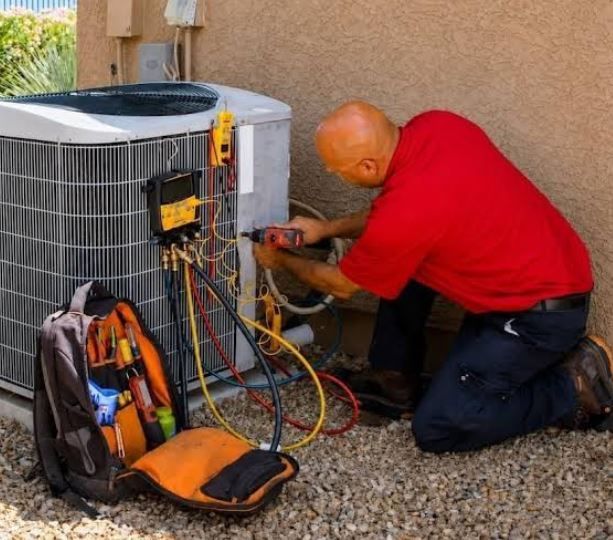
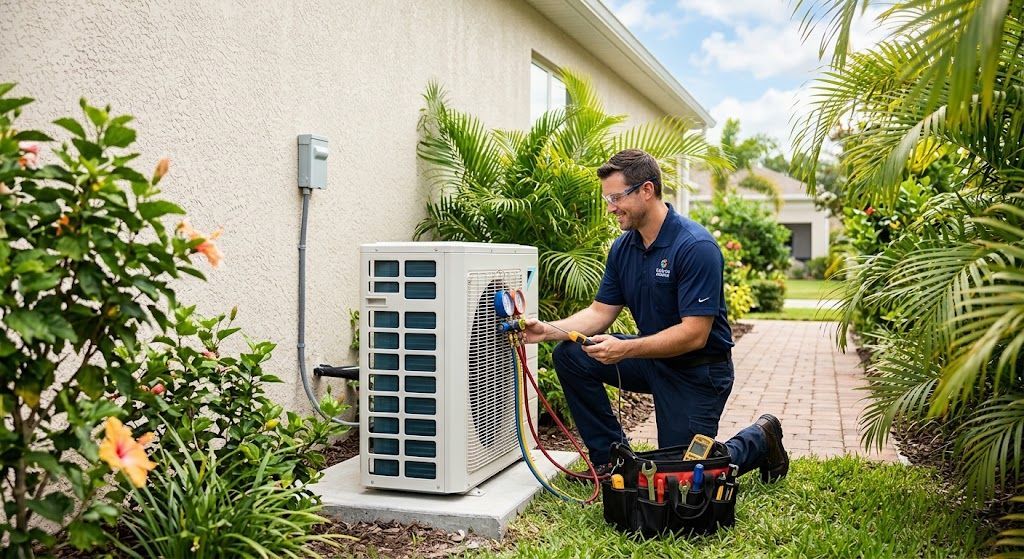
Never open the unit or spray water inside the electrical components; simply keeping the area clear is a safe and effective homeowner step.


Step 8: Notice Any Unusual Smells or Sounds

Strange smells or noises can be early warning signs of more serious issues.


Smells to watch for:


Burning or electrical odor → Possible wiring or motor issue.


Musty or moldy odor → Potential moisture or drainage problems.


Noises to listen for:


Grinding, screeching, or metal-on-metal sounds.


Loud banging or clanking from the indoor or outdoor unit.


High-pitched squeals or persistent rattling.


If you notice any of these, turn the system off and call for professional AC repair. Continuing to run a noisy or burning-smell system can cause further damage.


Step 9: Check for Water Around the Indoor Unit

Central air conditioners remove moisture from the air, and that water needs to drain away properly. If the drainage line is clogged, you might see:


Water pooling around the indoor unit or air handler.


Damp spots or staining on walls, floors, or ceilings nearby.


A full or overflowing condensate pan.


Turn the system off to prevent further water damage and contact a professional. A clogged drain is usually a straightforward repair when caught early.


Step 10: Consider Recent Weather or Power Events

Before calling, think about what has happened recently in or around your home:


Recent power outage or storm: Power surges can trip breakers or damage sensitive electronics inside your AC.


Extreme heat waves: Systems may run longer and struggle to maintain very low thermostat settings, especially in older or undersized systems.


Construction or landscaping work: New fencing, landscaping, or construction might have blocked vents, damaged lines, or restricted airflow.


Share any of this context with your HVAC technician—it can dramatically speed up diagnosis.


When You Should Stop Troubleshooting and Call for Emergency Repair

Your safety and the health of your system always come first. Stop troubleshooting and call for emergency AC repair if:


You smell burning, smoke, or see sparks.


The breaker keeps tripping again and again.


There is visible damage to the unit after a storm or impact.


You hear loud grinding, screeching, or banging.


Water is leaking heavily or damaging walls, ceilings, or floors.


Elderly family members, infants, or medically vulnerable people are at risk due to heat.


In these cases, turn the system off at the thermostat and at the breaker if it’s safe to do so, and then contact a trusted HVAC professional immediately.


How to Prepare for the Call (So You Get Faster, Better Service)

Once you’ve gone through the basic checks and it’s clear you need help, a little preparation makes your emergency visit smoother and more efficient.


Have this information ready:


What you’ve already checked (thermostat, breaker, filter, vents, outdoor unit).


Any unusual smells or sounds.


Whether the indoor unit, outdoor unit, or both are running.


When you first noticed the problem and whether it came on suddenly or gradually.


Any recent storms, renovations, or electrical work.


Clear a path to the indoor unit, thermostat, and outdoor condenser so your technician can get right to work when they arrive.


Preventing Future AC Emergencies

The best “survival guide” tip is to reduce the chances of emergencies in the first place. A few habits make a big difference:


Schedule regular professional maintenance. A trained technician can catch small issues—like weak capacitors, loose connections, or low refrigerant—before they cause a breakdown.


Change air filters regularly. Most homes should check filters monthly and replace them every 1–3 months, depending on use and air quality.


Keep the outdoor unit clean and clear. Trim shrubs, remove debris, and maintain good airflow year-round.


Use reasonable thermostat settings. Avoid setting the thermostat extremely low; it won’t cool faster and only strains the system.


Address minor issues early. Strange noises, uneven cooling, or rising energy bills are all early warning signs that should be checked out before they turn into middle‑of‑the‑night emergencies.


Final Thoughts: Stay Calm, Check the Basics, Then Call the Pros

A suddenly warm house is stressful, but you’re not powerless. This AC survival guide shows what to check before calling for emergency repair so you can:


Fix simple issues on your own when possible.


Protect your equipment from further damage.


Get faster, more efficient help when a professional is needed.


If you’ve walked through this checklist and your home is still uncomfortably warm, it’s time to reach out to your local HVAC experts for prompt, professional AC repair.
Recent Posts

By Cooling Advisors February 17, 2026
Ductwork inspection in Tampa, FL identifies air leaks, insulation problems, and contamination issues that reduce system efficiency and indoor air quality.
duct cleaning
By Corey Creekmore February 12, 2026
Improve your home's air quality with professional duct cleaning in West Palm Beach, Florida. Reduce allergens, lower energy bills, and breathe easier today!
By Corey Creekmore February 7, 2026
Cleaning your HVAC duct system does far more than make things look tidy; it can improve air quality, comfort, and even how efficiently your system runs. Here are five key benefits homeowners can expect when their ductwork is professionally cleaned on a sensible schedule. 1. Cleaner, Healthier Indoor Air Every time your HVAC system runs, it pulls air through the ducts and pushes it back into your living spaces, carrying whatever is sitting inside that ductwork. Over time, dust, pet dander, pollen, and other particles accumulate along the walls of the ducts and on internal components. When buildup gets heavy, more of those particles can break loose and circulate through your home, especially when the fan kicks on high or the system cycles frequently in extreme weather. Clean ducts mean the air passing through them has fewer contaminants to pick up, which helps reduce the overall particle load in your home’s air. People with allergies, asthma, or other respiratory sensitivities often notice that their symptoms improve when airborne dust and allergens are better controlled. Even if you don’t have a diagnosed condition, breathing air that’s cleaner and less irritating can lead to fewer sore throats, less eye irritation, and a general sense that the air feels “lighter” and fresher. Combined with a quality air filter and regular filter changes, duct cleaning supports a healthier indoor environment. 2. Reduced Allergens, Mold, and Odors Dust isn’t the only thing that can accumulate in ductwork. High humidity, small leaks, or condensation inside ducts can create damp spots that encourage mold and mildew growth. If mold colonizes in or around your ducts, spores can be picked up by the moving air and blown throughout the house. For anyone with mold allergies or compromised immune systems, that’s a serious concern. Professional duct cleaning helps remove the dust and organic material mold feeds on, and in some cases can include sanitizing steps that discourage future growth. Ducts can also trap odors. Pet hair and dander, cooking grease, cigarette or vape smoke, and volatile organic compounds from paints and cleaners can all cling to dust in the duct system. Over time, those trapped smells may be re‑released into the air, causing your home to smell stale, musty, or just “off” even after you’ve cleaned. Removing the built‑up debris inside ducts also removes a reservoir of odor‑holding particles, making it easier to eliminate lingering smells. Many homeowners notice that after a thorough duct cleaning, their home smells noticeably fresher, and new odors from cooking or pets don’t seem to hang in the air as long. 3. Better Comfort and Potential Energy Savings When ducts are heavily coated with dust, lint, and other debris, airflow can be restricted. This is especially true at bends, joints, and near supply registers where buildup tends to be worst. Restricted airflow forces your HVAC system’s fan to work harder to push the same volume of air through the system, and in some cases it prevents conditioned air from reaching certain rooms effectively. The result can be hot and cold spots, longer run times, and the feeling that the system is “always running” but never quite catching up. Cleaning the ductwork removes these obstructions and helps restore more even airflow throughout the system. With less resistance in the ducts, the blower motor doesn’t have to work as hard to move air, which can reduce wear and tear and may lower energy consumption. You might notice rooms reaching their set temperatures more quickly, fewer temperature swings, and a system that cycles on and off more normally instead of running constantly. While duct cleaning is not a magic bullet for efficiency issues caused by poor insulation or leaky windows, it does remove one significant source of mechanical strain and can be part of an overall energy‑saving strategy. 4. Longer HVAC System Life and Fewer Repairs Your HVAC system is designed to operate within a relatively clean, unobstructed air pathway. When ducts and internal components are coated with dust and debris, the system must strain to move air, and that strain can shorten component life. Motors, belts, and bearings that work against extra resistance are more likely to overheat or fail prematurely. If debris breaks loose inside ducts, it can sometimes collect on coils, inside the furnace cabinet, or in the blower assembly, further reducing efficiency and increasing the chance of breakdowns. Regular duct cleaning helps your technician spot emerging problems early while they have the system open and connected to their equipment. They can see issues like disconnected runs, crushed or sagging flex duct, severe corrosion, or evidence of pests and moisture that you’d never detect from the living space. Catching these issues early lets you repair or seal ducts and protect equipment before damage becomes severe and expensive. Over time, preventing unnecessary strain and avoiding avoidable breakdowns can add years to the life of your furnace, air handler, or air conditioner and reduce the likelihood of inconvenient emergency repair calls in the middle of summer or winter. 5. A Cleaner Home With Less Dusting If you feel like you’re constantly fighting dust—wiping off surfaces only to find them coated again a day later—dirty ducts may be part of the reason. Every time your system runs, any loose dust sitting in the ductwork has the chance to be blown out into rooms and then settle on furniture, electronics, and flooring. Even with good housekeeping habits, you can’t out‑clean a constant supply of airborne dust being pushed into your living areas. Once ducts are cleaned, there is simply less material inside to be stirred up and recirculated. Many homeowners notice that their furniture stays cleaner longer and that general housekeeping becomes easier. Vent covers themselves will accumulate dirt more slowly, which is another visible sign that less debris is moving through the system. While you’ll still need to dust—no system removes all dust from a home—clean ducts can significantly reduce how quickly it builds up, which is especially welcome in homes with pets, carpeting, or high outdoor dust levels. Having your HVAC duct system professionally cleaned at appropriate intervals offers multiple overlapping benefits: cleaner indoor air, fewer allergens and odors, more efficient airflow and comfort, reduced wear on expensive equipment, and a home that simply feels and smells cleaner. For the best results, duct cleaning should be paired with regular filter changes, routine HVAC maintenance, and attention to moisture control so your system stays cleaner for longer and keeps supporting a healthier living environment.
By Corey Creekmore January 29, 2026
Get the most from your new heater with key installation guidelines, from proper sizing and equipment selection to safe setup, testing, and maintenance tips.
By Cooling Advisors January 18, 2026
Heating system maintenance in Orlando, FL ensures reliable operation during cooler months through filter changes, component inspection, and efficiency testing.
By Cooling Advisors January 18, 2026
Professional heating installation ensures optimal comfort and efficiency with proper sizing, quality equipment, and expert setup for long-term performance.
heating bill
By Corey Creekmore January 15, 2026
Save money and stay cozy this winter with these 10 practical tips to reduce heating costs, boost efficiency, and keep your home comfortably warm.
By Corey Creekmore January 7, 2026
Hurricane season preparation starts long before a storm shows up on the radar, and your air conditioner should be just as ready as your family and home. A well‑prepared AC system is safer, less likely to suffer damage, and more likely to bounce back quickly after a major storm. ​ Why Hurricane Season Threatens Your AC Hurricane season brings more than just wind and rain; it creates a perfect storm of conditions that can damage an AC system. High winds can turn loose objects, branches, and even patio furniture into projectiles that dent or crush your outdoor condenser. ​ Power surges and outages can fry sensitive electronics, compressors, and control boards inside your HVAC equipment. ​ Heavy rain and localized flooding can damage components, especially if the unit sits low or in a poorly drained area. ​ Debris buildup around or inside the unit restricts airflow, leading to overheating and long‑term efficiency problems. ​ When you prepare specifically for hurricane season, you reduce the risk of expensive repairs, extend the life of your system, and protect your comfort once the storm passes. ​ Pre‑Season AC Preparation The best time to get your AC ready for hurricane season is during “clear sky” days, before a storm is even named. Schedule a professional HVAC inspection to catch loose connections, worn parts, weak capacitors, or low refrigerant that could fail under stress. ​ Clean or replace air filters so your system runs efficiently and can comfortably cool the home before you shut it down for an approaching storm. ​ Clear vegetation, leaves, and clutter from around the outdoor unit to maintain proper airflow and prevent objects from being blown into the fan or coil. ​ Check that the outdoor unit is firmly anchored to its concrete pad and that mounting bolts and brackets are tight to resist high winds. ​ In flood‑prone areas, talk with an HVAC professional about elevating the condenser on a platform to reduce the chance of water damage during hurricane season. ​ These proactive steps make your system more resilient and position it to handle repeated storms during a long hurricane season. ​ What To Do As a Storm Approaches Once a hurricane watch or warning is issued, shift from long‑term preparation to immediate protection of your AC system. Pre‑cool your home by lowering the thermostat a few degrees so the indoor temperature stays comfortable longer after you power the system down. ​ Turn off your HVAC system at the thermostat and then shut off the dedicated breakers to protect electronics from surges, brownouts, and lightning strikes. ​ After the system is off, place a sturdy, well‑secured cover or tarp over the outdoor unit to shield it from flying debris, but never run the AC while it is covered. ​ Remove and unplug any window or portable air conditioners so they do not become wind‑borne hazards or leak water into the home. ​ Secure the surrounding area by tying down or storing outdoor furniture, grills, toys, and yard tools that could be thrown into the condenser by hurricane‑force winds. ​ Powering down and physically protecting your equipment before the worst of hurricane season’s storms is one of the most effective ways to avoid catastrophic AC damage. ​ After the Storm: Restarting Safely As tempting as it may be to flip the AC back on immediately, hurricane season demands a cautious approach once the storm passes. Inspect the outdoor unit visually for dents, shifted position, standing water, or debris lodged in or around the fan and coil before restoring power. ​ Remove the protective cover and clear away branches, leaves, trash, and any foreign objects from the area surrounding the condenser. ​ Check the electrical panel for tripped breakers and signs of scorching or damage, and only reset breakers if everything looks normal. ​ Once power is stable and the unit looks intact, turn the system back on and listen for unusual noises, vibrations, or burning smells that could signal hidden storm damage. ​ If you notice reduced cooling, strange sounds, or water around indoor equipment, shut the system off and schedule a professional post‑storm inspection. ​ Documenting any visible damage with photos can also help when filing insurance claims related to hurricane season events. ​ Long‑Term Hurricane Season Strategies Beyond immediate preparation and recovery, homeowners can adopt longer‑term strategies to protect their AC systems every hurricane season. Install whole‑home surge protection and dedicated surge protectors for HVAC equipment to guard against frequent power spikes during storms. ​ Enroll in an annual or bi‑annual maintenance plan so a technician inspects, cleans, and tunes your system before and after hurricane season. ​ Ask about hurricane‑rated condenser stands, tie‑downs, and upgraded equipment designed to better handle wind, moisture, and salt exposure in coastal regions. ​ Keep a hurricane season kit that includes extra air filters, batteries for the thermostat (if applicable), and contact information for your trusted HVAC company. ​ Plan for comfort during extended outages with ceiling fans, portable fans, and, where safe and permitted, a properly installed backup generator to power critical systems. ​ By treating your AC as an essential part of your hurricane season plan, you protect both comfort and investment all summer and fall. ​
smart ac
By Corey Creekmore January 1, 2026
Beat West Palm Beach humidity with smart AC. Learn how smart cooling improves comfort, controls moisture, prevents mold, and cuts energy bills in Florida homes.
AC Recovery
By Corey Creekmore December 24, 2025
Restore your AC safely after a hurricane with clear inspection, restart, and repair steps designed for homes, helping prevent damage, mold, & costly breakdowns.
Show More